
.png?width=40&height=40&name=search%201%20(1).png)
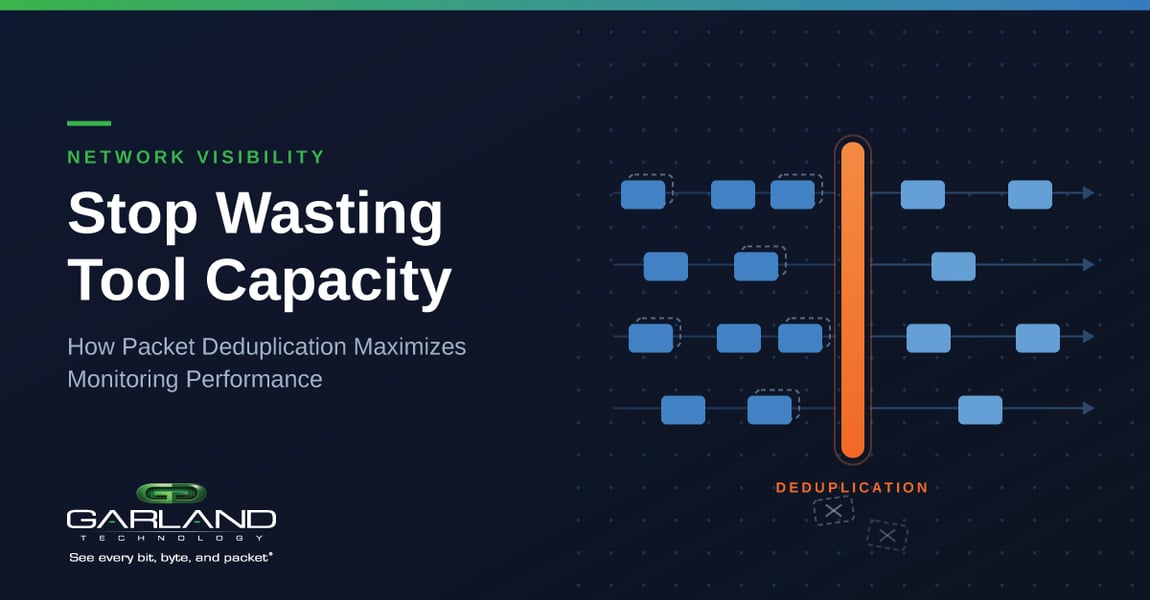
Duplicate packets are an unavoidable byproduct of a busy IT network. Duplicate packets are an unavoidable byproduct of a busy IT network. See what we did there? A modern tech stack and careful optimization can reduce the frequency of duplicate packets, but they’ll still appear regularly. This becomes a challenge for network monitoring tools, which must expend valuable processing resources inspecting redundant data. Ultimately, duplicate packets impact performance and distort analytics of your monitoring tools.
Duplicate packets often surface in well‑designed environments that rely on SPAN mirroring traffic to monitoring tools. When a SPAN port mirrors traffic on ingress and egress ports, or mirrors traffic to a VLAN, the monitoring tool receiving the mirrored traffic might experience a 50% increase in traffic from duplicates alone.
One simple fix is to utilize a Network TAP instead of SPAN mirroring, which will slash the number of duplicate packets you need to deal with. We recognize, though, that this isn’t always practical. You might have legacy equipment or may have to rely on SPAN mirroring for network access. Additionally, shifting from SPAN to TAP won’t eliminate duplicate packets altogether. For example, some hosts commonly transmit duplicate packets in order to guard against packet loss.
If your monitoring needs are sensitive enough that any number of duplicate packets is too many, or if you can’t transition away from SPAN ports, then duplicate packets can cause you real problems.
First, data center traffic has already reached enormous throughput levels and is now approaching the 100G, 400G, even 800G range. Monitoring tools are already undersized for the amount of traffic that they need to deal with. With duplicate packets added to the mix, you’ll find your monitoring tools stretched past their capacity levels.
Second, your monitoring and analytics depend on having consistent data. Duplicate packets can skew this data in several ways. Let’s say that your network is starting to become unstable, but your monitoring tools are chewing through a queue of “good” packets – that are in fact all duplicates. You won’t catch a hint of anything wrong until there’s a performance issue. Conversely, a stream of duplicated bad packets can display a false positive for a cyberattack or an unexplained slowdown.
Again, there are ways to mitigate this problem, some tools may have deduplication capabilities. Deduplication identifies and removes redundant data. If you want to quash unwanted duplicates permanently and not transfer the processing burden to the tools, use a Network Packet Broker (NPB) with deduplication functionality.
NPBs can remedy this issue by finding and removing duplicate packets before they can reach your analytics tools. Here are some of the best ways to use this feature to optimize your network and improve monitoring throughput.

When a packet comes in, the NBP uses a feature to turn the packet into a series of letters and numbers called a hash. Its hash is compared to the hash of every packet that came before it. Comparing two hashes is much faster than comparing two packets line by line. Since the same content will always produce the same hash, any two hashes that match are automatically duplicates. The duplicate hash is discarded before it can be sent on to your network monitoring tools.
This explanation is simple, but it also obscures a few use cases. For example, what happens if two packets have the same header and the same content, but different IP type of service (TOS) numbers. Are they different or are they duplicates? What about time series? If you get two virtually identical packets a few minutes apart, is the second packet a duplicate, or is the same user just logging in a second time?
Generally, these are all variables that must be defined by the user and which depend on the data center context. If two packets are generally the same, but have different IP TOS or TCP sequence numbers, they may or may not be duplicates, it depends on the data center. If you’ve bought the right kind of NPB, you’ll be able to specify whether they are or not. If specified that they’re duplicates, then the NPB will hash every part of your packet except the IP TOS or TCP sequence numbers, which means that those numbers won’t be taken into consideration when the hashes are compared.
Meanwhile, time series information is something that is also up to the discretion of the administrator. Given the right kind of granular control, you’ll be able to specify how long the network packet broker keeps hashes before it discards them. This allows you to say that packets containing the same or similar information which are received in a short amount of time – say a 500ms window – are likely to be duplicates, but that apparent duplicates received over a longer interval may not be duplicates at all.
With granular controls, network administrators can optimize their control over deduplication at a highly individualized level. This means that they’ll be able to achieve the highest possible throughput for their monitoring equipment while retaining the highest level of accuracy for their analytics. This in turn will help them maintain a stable and more secure network without being forced to purchase, install, and configure large amounts of new equipment.
In today’s environment with significant investment in monitoring tools, Garland Technology recognizes the need for simple, easy, cost-effective visibility solutions that allows for flexibility for networks of the future.
We take the approach of providing solutions that are scalable for future on-demand growth and ROI. Allowing you to deploy what you need, when you need it. Garland Technology’s line of flexible NPBs include models with built-in deduplication as well as a standalone Deduplication device.
Garland Technology’s standalone dedupe box is a unique solution in the market:
If you start needing more than 10G of deduplication, then there is no need to overhaul your existing set-up. Just install our standalone dedupe box.
Looking to add deduplication capabilities to your network, but not sure where to start? Join us for a brief network Design-IT consultation or demo. No obligation - it’s what we love to do!