

Editor’s Note: This blog was written by Garland Technology’s Vice President of Sales, EMEA, Ross Green.
When deploying an OT security Intrusion Detection System (IDS) or Cyber-Physical System (CPS) solution, many organizations only reach out to Garland Technology when they realise they can’t gain network visibility using SPAN or mirror ports on their switches. While this is absolutely a valid reason to contact us – we can provide visibility solutions for virtually any environment – the reality is that we deliver as many, if not more, SPAN and mirror aggregation solutions as we do Network TAP deployments.
One of the most persistent challenges in OT networks is collecting reliable visibility data from SPAN ports across segmented architectures. Deploying multiple remote security sensors or collectors quickly becomes cost prohibitive, both in terms of capital expenditure (fast increasing appliance costs) and ongoing operational overhead. Managing firmware upgrades, software patches, and hardware located in remote or restricted OT areas is rarely ideal. Power consumption, available physical space, and mounting limitations add additional constraints.
Some organisations try to work around these limitations by using RSPAN or ERSPAN to transport mirrored data back to a central sensor. While this may appear to work under ideal circumstances, it introduces a fundamental weakness: the monitored traffic is sent back over the same operational network it is intended to observe.

Under normal load, the approach can seem acceptable. But during a network fault, performance degradation, or attack – precisely when visibility is most critical – traffic volumes and retransmissions increase dramatically. At that moment, the forensic data being transported via RSPAN/ERSPAN is often delayed, corrupted, or lost entirely because it relied on the already impacted network.
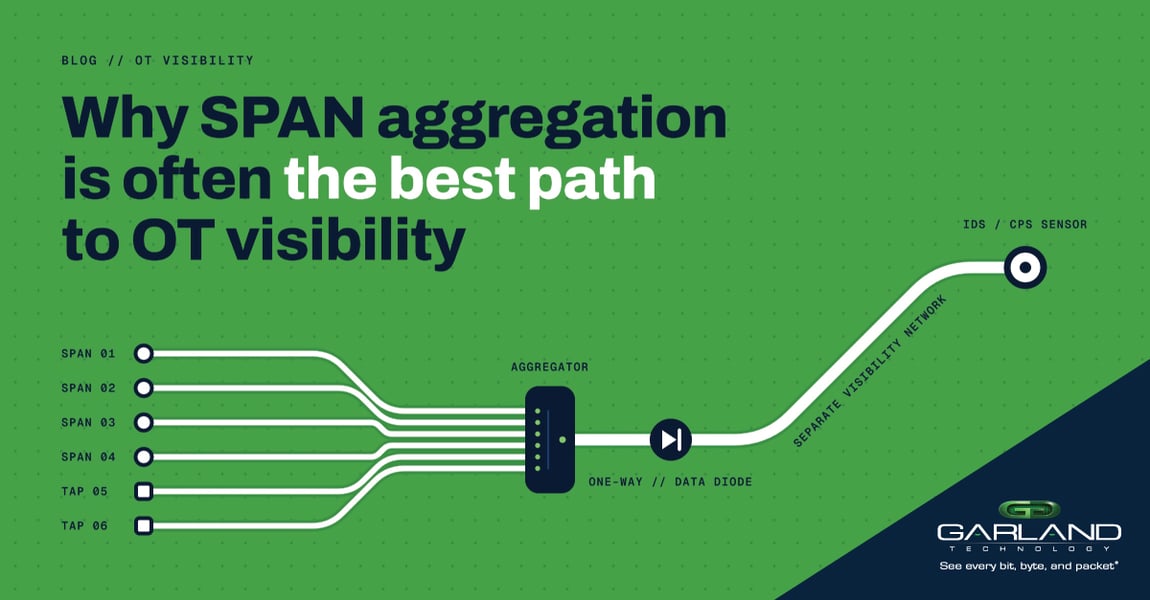
This is why a best practice in OT visibility is to always transport monitored data over a physically separate visibility network, completely isolated from the operational environment.
Companies turn to Garland Technology for exactly this reason: a more reliable alternative to RSPAN and a far more cost-effective approach than deploying multiple remote sensors. Garland Technology’s SPAN Aggregators offer the most effective method of collecting and transporting SPAN/mirror outputs and remote TAP feeds back to IDS/CPS platforms – securely, consistently, and without operational disruption.
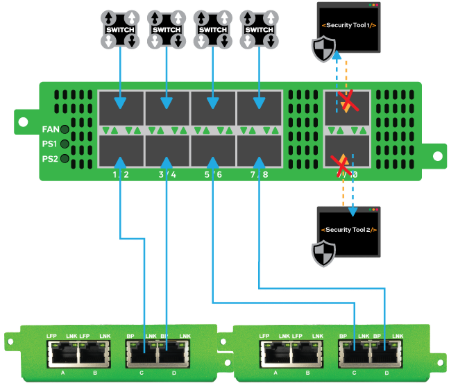
Diagram: Garland Technology Aggregator INT1G10SSASP aggregating SPAN and TAP feeds to security solutions.
We provide the industry’s most extensive and flexible portfolio of SPAN aggregation appliances, ranging from compact 4 to 10 port DIN‑rail units to high‑density 30‑port 1U platforms. Every device as a minimum includes unidirectional monitoring (Data Diode functionality), ensuring that no data can ever flow back into the operational network from a bidirectional switch SPAN port.
Next time you’re planning to deploy an OT security sensor, don’t think of Garland Technology only for situations where SPAN or mirror ports are unavailable. Think of us as the partner that helps you build a safer, more reliable, and more scalable visibility architecture from the start.
Looking to build a hardware visibility infrastrucuture, but not sure where to start? Join us for a brief network Design-IT consultation or demo. No obligation - it’s what we love to do.